
Dynamic Data Masking
Show the data.
Hide what matters.
Dynamic Data Masking masks sensitive data in real time for users who should not see it, without changing the original data. A SQL proxy applies your masking and query policies on the way through.
Real-time masking.
Source data untouched.
Define what to mask, for whom, and which queries are allowed. Dynamic Data Masking enforces it on every query.
Every query, checked and masked.
Applications and users connect through the proxy port instead of directly to the database. The proxy checks each query and masks the result before it leaves.
Connect
Define the database and its proxy port. Clients connect through the proxy.
Check
Each SQL statement is matched against whitelist and blacklist policies.
Mask
Assigned masking methods are applied to the result set.
Log
Endpoint logs and sessions record what was applied and when.
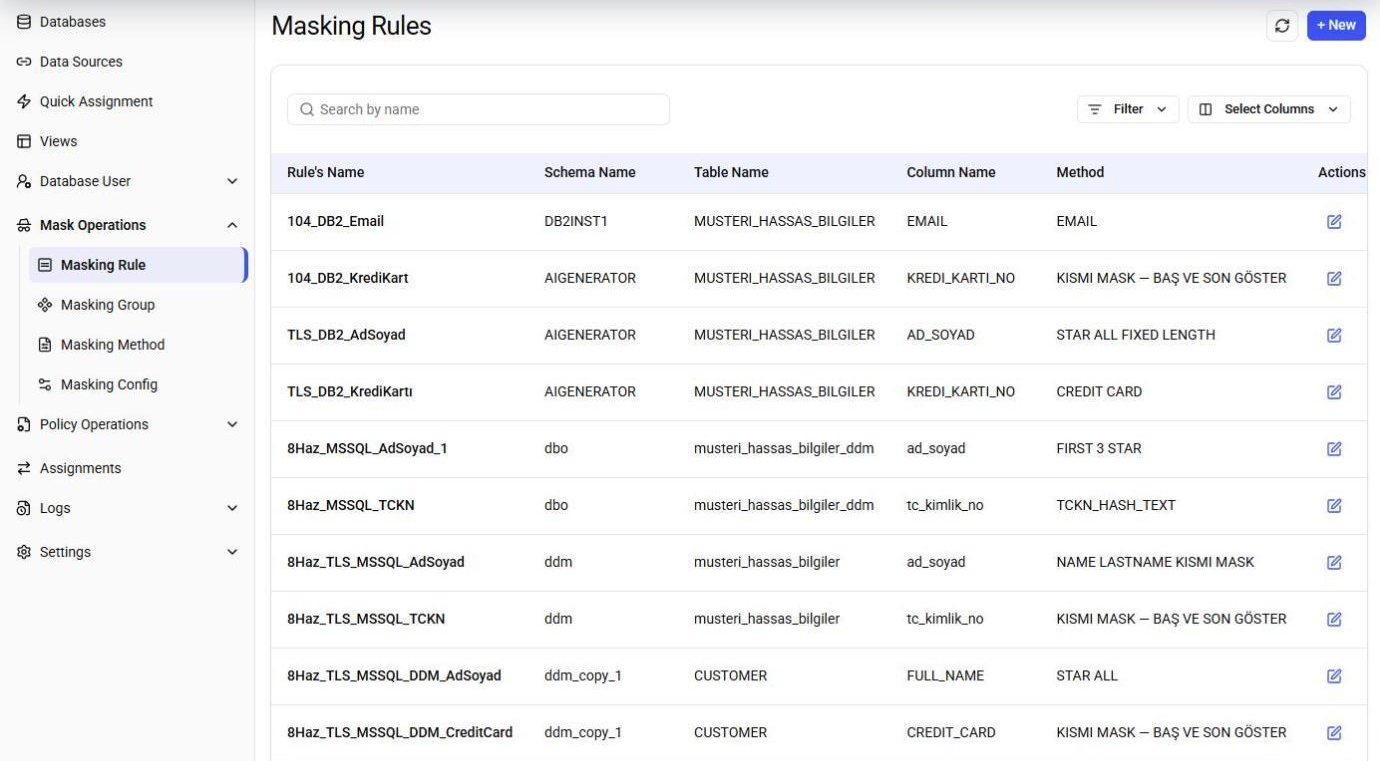
Let teams work without seeing raw data.
Support, operations, and outsourced teams often need production access but not the personal data inside it. Masking policies let them do their job while sensitive values stay hidden.
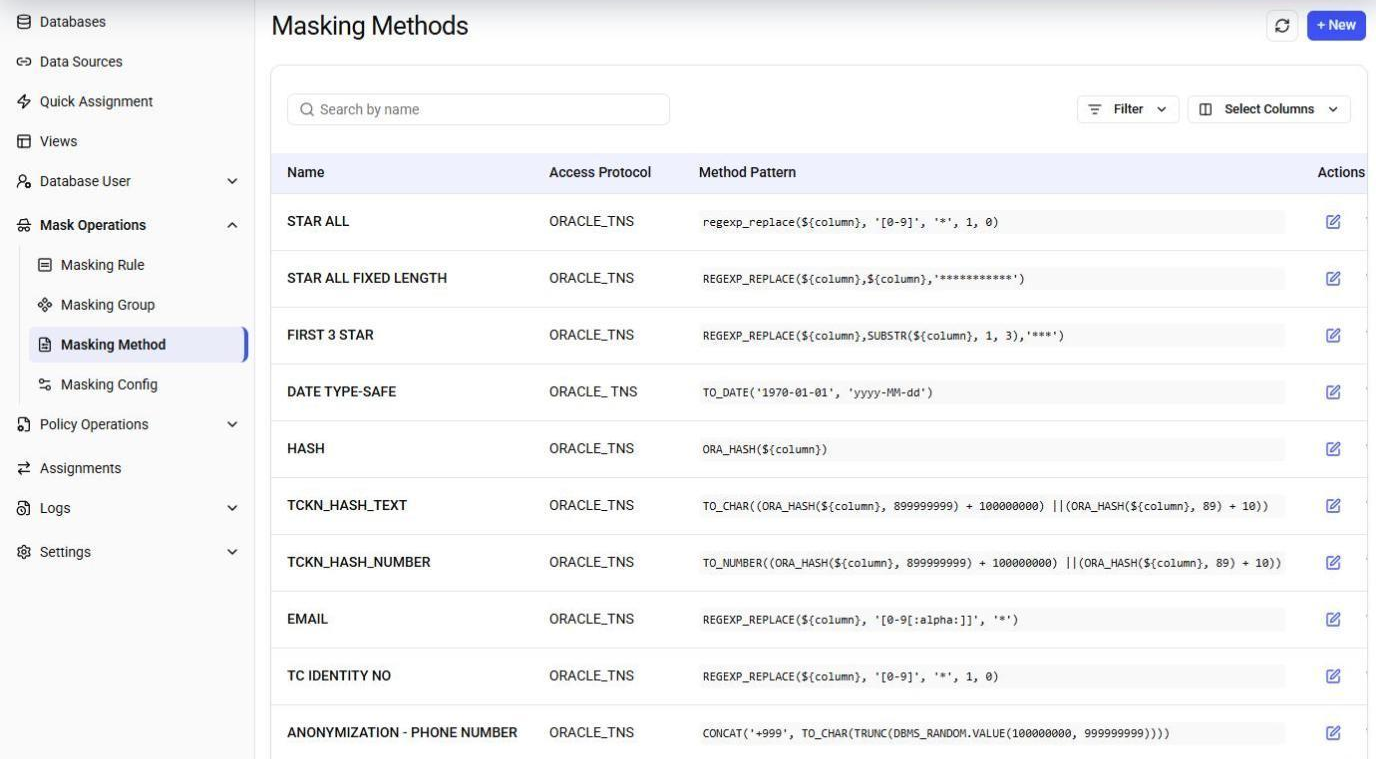
- Masking applied per user and data
- No copies, no changes to source data
- Masking methods assigned from classification
- Every applied policy visible in endpoint logs
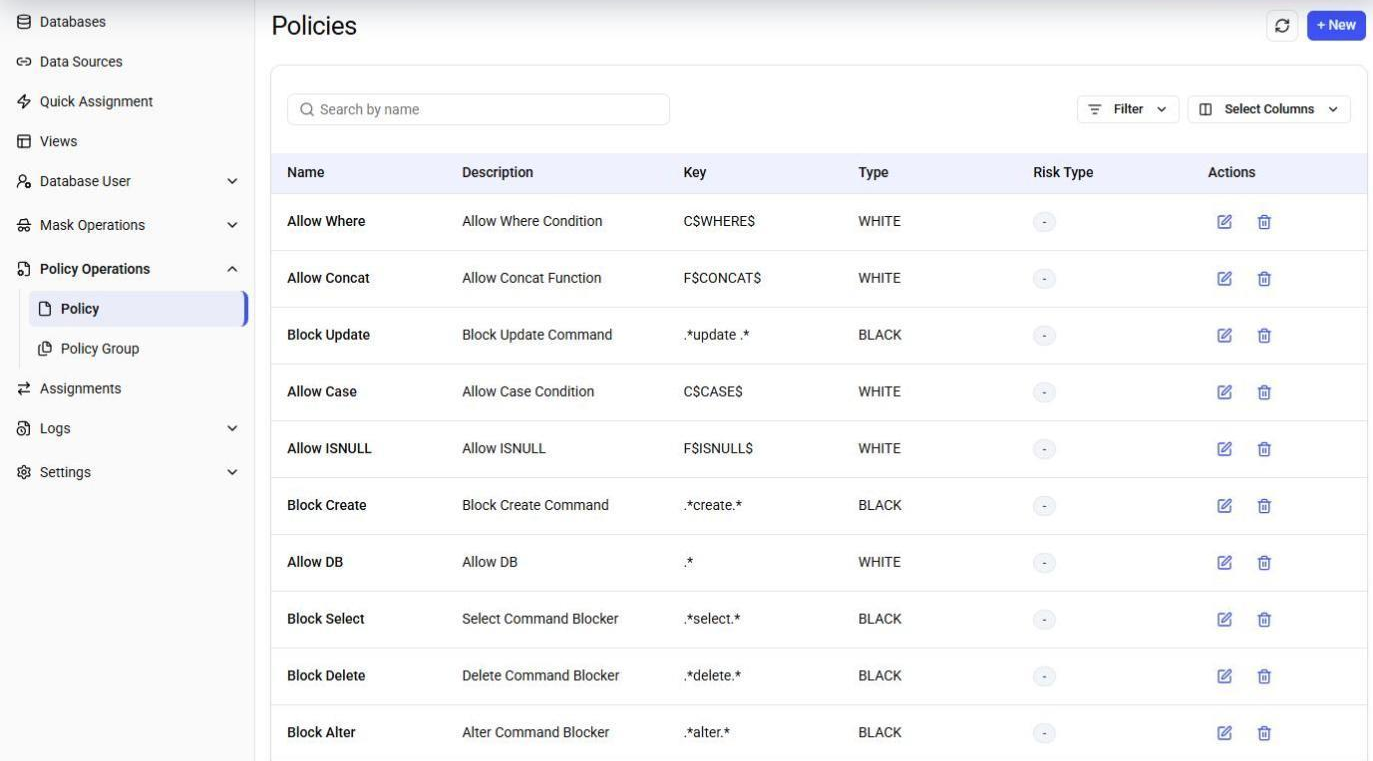
Decide which queries are allowed.
Whitelist and blacklist policies with SQL pattern matching give you control over what reaches the database, with a risk type on every policy.
- Regex-based SQL policies
- Low, medium, and high risk types
- Policy groups for easier management
- Alarms and notifications
Questions & answers.
Does Dynamic Data Masking change the data in my database?
How do applications connect?
How does it know which columns to mask?
Can I see what was masked?
Explore the other modules
Data Discovery
Scan databases and file shares, classify sensitive columns, and score every column for risk.
Database Activity Monitoring
Detect, classify, alert on, and report the events in your database systems.
Data Security Posture Management
Turn database activity into access visibility, anomaly alerts, and scheduled access reports.
Privacy Management
Run consents and data subject requests for KVKK and GDPR in one place, with deadlines tracked.
Test Data Management
Give development and QA teams masked or synthetic data, orchestrated as reusable scenarios.
See Dynamic Data Masking live.
Book a demo and watch the same query return masked and unmasked results for different users.